Home · Quick start · Editor · charter.yaml · Sources · Agent · Guides · Evals · Audit · Policies · CLI · MCP · Workspace · Desktop · About · FAQ
DataCharter is one Python package. pip install datacharter (or uvx for a
zero-install try) gives you the engine, the API, and the web UI in one process.
It requires Python 3.11 or newer.
One idea powers everything here: your charter is the data contract your team already writes (sources, tables, PII) — and in DataCharter it’s also the enforcement mechanism. Describe your data once; querying, masking, and agent access all follow from that file.
Try it in 60 seconds
No config, nothing installed globally:
uvx datacharter serve
# -> serves an ephemeral demo workspace on http://127.0.0.1:8321
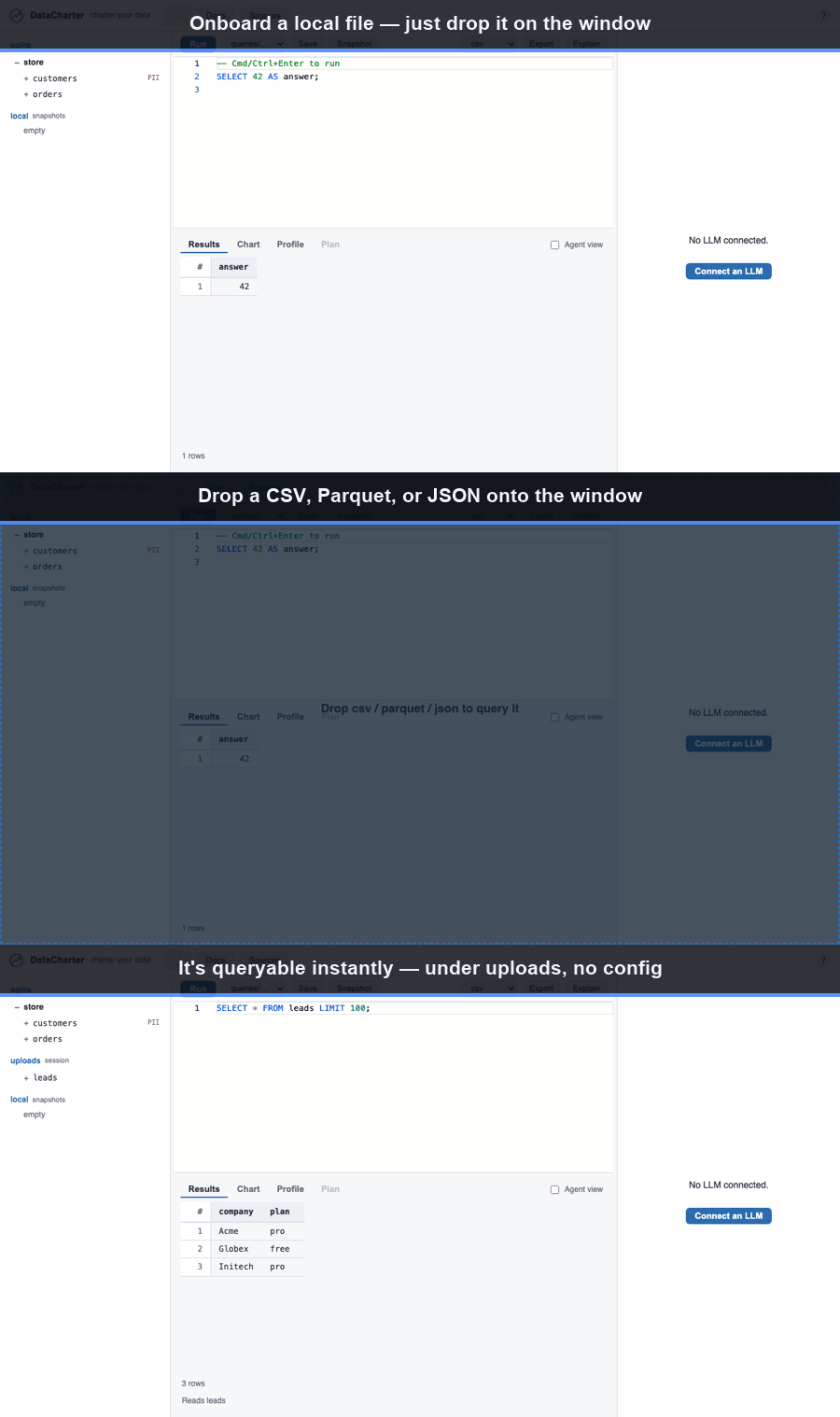
This generates a tiny sample dataset and opens a local workspace. Browse the source tree, run a query in the editor, switch to the Chart and Profile tabs, and drag a CSV, Parquet, or JSON file onto the window to query it instantly.
Start a real workspace
pip install datacharter                    # any OS (Python 3.11+)
# ...or on macOS with Homebrew:
brew install datacharter/tap/datacharter

datacharter init      # scaffold the workspace here
datacharter serve     # explore in your browser
datacharter init creates exactly this shape and nothing else:
charter.yaml     # your sources (safe to commit; no secrets)
queries/         # your SQL query library (*.sql)
guides/          # notes for agents — tribal knowledge, versioned (see Guides)
.env.example     # credential names with placeholder values
.gitignore       # excludes .env and .datacharter/
Add --demo to include a generated demo dataset
(datacharter init --demo), or --force to overwrite an existing
charter.yaml.
Add your first source
Edit charter.yaml. A local file needs only a type and a path:
version: 1

sources:
  sales:
    type: csv
    path: data/sales.csv
A database uses connection for the non-secret shape and credentials for
${NAME} references:
version: 1

sources:
  warehouse:
    type: postgres
    connection:
      host: db.internal.example
      database: analytics
      user: reader
    credentials:
      password: ${WAREHOUSE_PASSWORD}
    tables: [customers, orders]
Provide WAREHOUSE_PASSWORD through the environment, a local .env, or your OS
keyring. See the secret resolution order
for details. The full field list is in the
charter.yaml reference, and how each source type federates
is in the sources matrix.
Store secrets in the OS keyring
To keep a credential out of both charter.yaml and .env, store it in your OS
keyring. The value is written by the keyring backend; only the ${NAME}
reference ever lives in charter.yaml:
datacharter secrets set WAREHOUSE_PASSWORD   # prompts, no echo
datacharter secrets list                     # names only, never values
datacharter secrets rm WAREHOUSE_PASSWORD    # remove one
set prompts for the value without echoing it; pass --value to set it
non-interactively. list shows only the names stored this way (it does not list
environment or .env secrets).
Query across sources
Database tables are queried as source.table (for example store.customers);
tables you list under a source’s tables: also get a flat <source>__<table>
view. A file source is a relation named after the source. Not sure what exists?
datacharter query "SHOW ALL TABLES" lists every queryable relation. Joins
across sources read like any other SQL:
SELECT c.email, sum(o.total) AS spend
FROM warehouse__customers c
JOIN sales s ON s.customer_id = c.id
GROUP BY c.email
ORDER BY spend DESC
LIMIT 20;
Save a query from the editor into queries/*.sql to build a git-friendly query
library. Results are capped for display (with a truncation flag); use Export to
write the complete result set to CSV, Parquet, JSON, or XLSX.
Turn on the agent (optional)
Ask questions in plain language. Bring an OpenAI-compatible endpoint or run fully local:
# Bring your own endpoint:
export OPENAI_BASE_URL=...   # any OpenAI-compatible API
export OPENAI_API_KEY=...
datacharter serve

# Or fully local (no API key, no data leaves your machine):
datacharter serve --local    # uses Ollama, qwen3:8b by default
Or, if you have Claude Code installed and
signed in to a Claude plan, just datacharter serve and click Connect Claude
Code in the chat panel — the agent runs on your subscription, no API key
needed.
Whichever you choose, the agent only ever sees the data you allow: PII is masked by default, adjustable per source, table, or column. Full detail is in Agent modes. Everything except the chat panel works with no model at all.
Useful flags
| Flag | Effect |
|---|---|
--host |
Bind address. Defaults to 127.0.0.1 (localhost only). |
--port |
Port. Defaults to 8321. |
--local |
Use a local Ollama model for the agent. |
--model |
Model name to use with --local. |
--no-spill |
Fail queries instead of spilling to disk (for regulated environments). |
--offline |
No-egress mode: disable the LLM agent and write a no-egress attestation. |
More commands
Beyond init / serve, the CLI has commands for governance and exploration —
the full list is in the CLI reference:
datacharter query "<sql>"— run a read-only query from the terminal (--format table|csv|json).datacharter test— run declared data assertions; exits non-zero for CI.datacharter scan --write— detect PII columns and record them incharter.yaml.datacharter drift— exit non-zero when a declared table or PII column disappears.datacharter diff a b --key id— diff two relations across sources.datacharter metric revenue— run a governed metric.datacharter lineage— cross-source lineage aggregated from your query history.datacharter sample customers— a PII-masked sample, safe to share.datacharter snapshot n <sql>/recheck n— “did this number change?”.datacharter explain <sql>— a query’s plan and estimates without running it.datacharter mcp— serve the governed tools over MCP.
The web app also previews results as you type, captions charts, profiles columns
with top-value bars, estimates a query’s cost before you run it, keeps a
reopenable query history, offers a ⌘K command palette, and — with
serve --offline — runs with no outbound network.
Where state lives
Everything a workspace produces stays inside its directory. Real credentials go
in .env; local state (snapshots, cache, temporary spill files) lives in
.datacharter/. Both are gitignored. Delete .datacharter/ any time to reset
local state. Moving or renaming the workspace directory breaks nothing.
Take the guided tour
datacharter serve            # no charter here? you get the tour workspace
datacharter init demo --demo --tour   # or scaffold it explicitly
The tour workspace ships everything wired up: a sample guide (notes agents read
for context), an eval suite (accuracy tests for agent answers), a plain-English
policy (aggregates only · groups of at least 2), canary tripwires (fake PII
that alarms if masking ever fails), and a real, hash-verifiable audit chain —
so the in-app walkthrough has something true to point at on every panel.
Next: The workbench — editor, charts, profiling → · Define your charter →