DataCharter blog
DataCharter on your desktop
Confession: I love the terminal. uvx datacharter serve feels like home. But
every time I showed DataCharter to an analyst friend, the demo died at the same
spot — not at contracts, not at masking, at “first, open a terminal.”
So: DataCharter is now a desktop app.
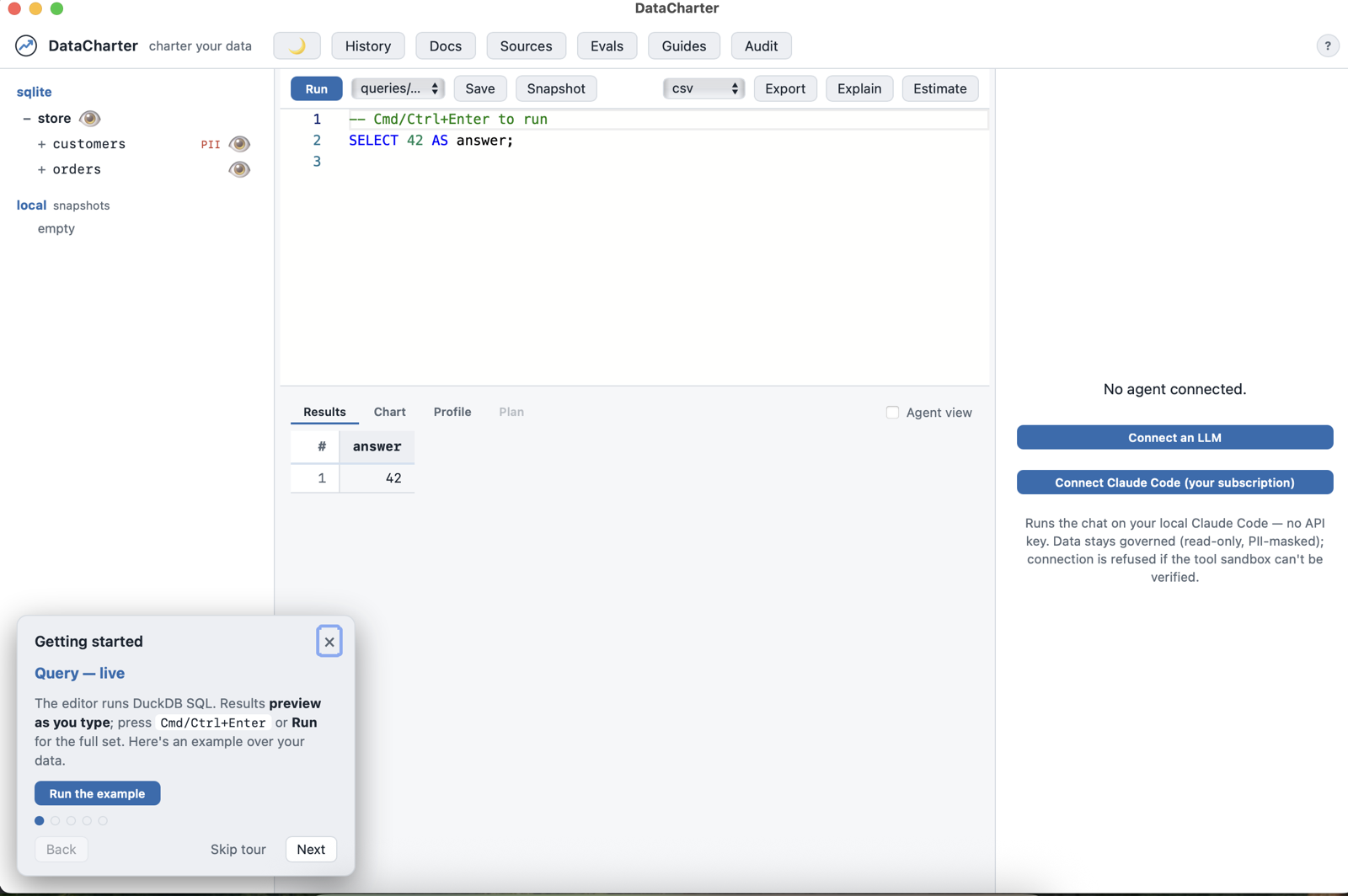
Double-click, pick a workspace folder (or start with the demo), and you’re in — the explorer, guides, evals, the audit timeline, the governed agent surface, all of it. The app remembers your last workspace and keeps a Workspace ▸ Recents menu, like the document-based apps you already know.
Same engine, zero compromise
There is no “desktop edition.” The app is the exact DataCharter you install from PyPI — the local FastAPI server and web UI — wrapped in your operating system’s own webview (WKWebView on macOS, WebView2 on Windows). It binds to localhost only. Every governance layer applies identically: PII masking, row filters, the read-only guard, the flight recorder, canary tripwires. Your data still never leaves your machine; it just stopped requiring a terminal to prove it.
Under the hood it’s Python frozen with PyInstaller and a pywebview window — about 90 MB, cold-starts in a couple of seconds, and each platform’s build runs a headless smoke check in CI before it’s allowed near a release.
The honest part: it’s a beta
Downloads live on the latest release
— macOS .dmg (Apple Silicon + Intel) and a Windows .exe.
Two things to know:
- The builds are unsigned for now. On macOS Sequoia that means a one-time trip to System Settings → Privacy & Security → “Open Anyway” (Apple removed the right-click shortcut). Windows SmartScreen wants “More info → Run anyway.” The desktop docs walk through both. Signing is on the roadmap; it’s a certificate, not a rewrite.
- Windows is CI-verified, not yet human-soaked. The smoke checks pass on every build, but I develop on a Mac — if you run Windows, you’re the beta program, and I’d genuinely love your bug reports.
The terminal paths — brew install datacharter/tap/datacharter, uvx
datacharter — remain the first-class citizens. The app is for the days (and
the colleagues) that don’t want one.
Download → open → pick a folder → your data, governed.
Code and docs: github.com/datacharter/datacharter · Desktop app docs · datacharter.dev